
How to create a frontend website effectively and efficiently
2025-04-27
As some of you may know, I really enjoy designing and building websites. I have built a few websites in the past, including my personal website, and a few others. Of course I wouldn’t say that I am now a frontend expert, I’m far from it… But! I have learned a lot from these experiences, and I would like to share some of my insights with you.
In my very honest opinion, among different disciplines of software development, we, as frontend developers, are the closest ones to the final users. So that means we need to be proficient at user experience, putting ourselves in the users’ shoes to craft UIs based on their real needs. The UIs do not need to be fancy with super complicated animations or whatsoever, it just needs to ease users’ web navigation experience.
I think a good website should at least trigger the following thoughts in the final user:
So the text in bold remarks the most important characteristics of a well built website: Intuitive, visual and fast. There are a lot of other features such as visibility of web’s status, use of colors, etc… But I don’t want to dig too deep into these topics. You can take more inspiration from Nielsen&aposs Heuristics, or Patterns of UI Design from Van Duyne, for example.
With all the “Theory” being said, let me share with you what’s my usual workflow when building a website.
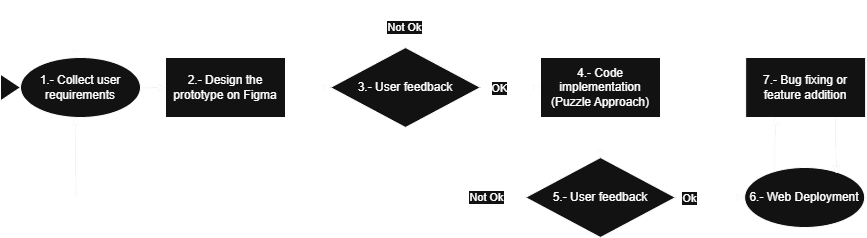
I will give y’all a simple checklist:
I’m gonna recommend Figma because… I haven’t used any other platforms :P
So in Figma, note down the following:
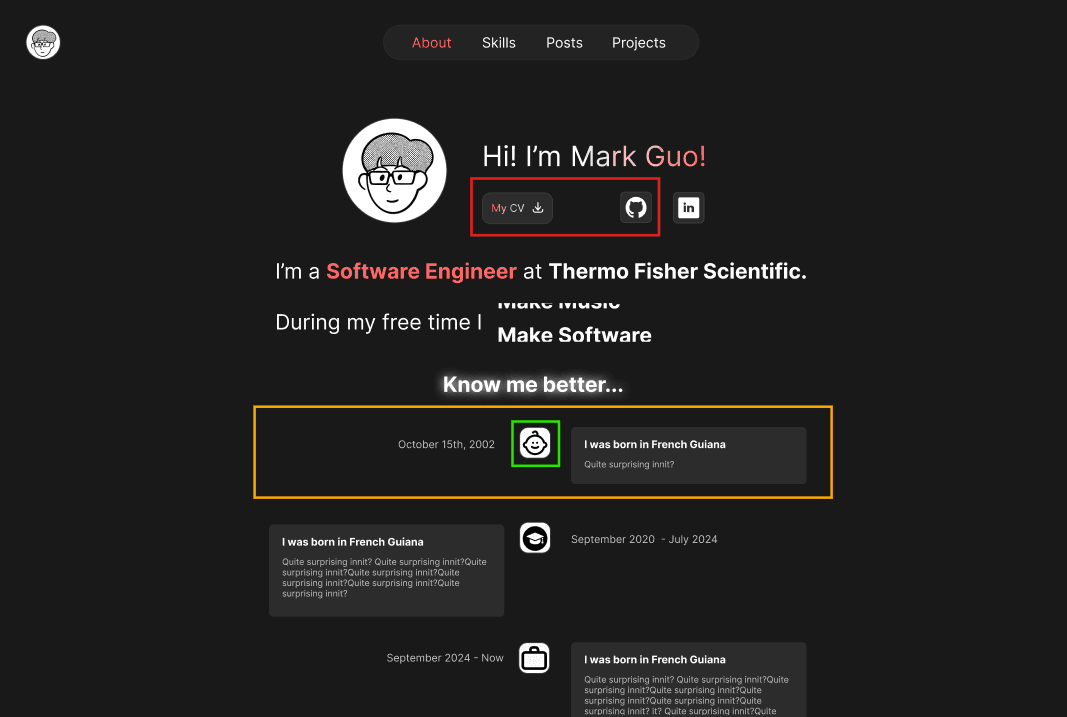
For instance, these are the components for my portfolio website, there are a lot of variations even though at the end they were discarded. But it was fun experimenting with different looks :)

A lot of developers, when starting frontend development, just create websites for desktop only (me included). Until I built Chikinmos’s website, I didn’t know the huge amount of mobile phone users in today’s society…
As you can see in the next image, this is a screenshot from Chikinmos’s Vercel analytics. With over 2000 visitors per month, these are the stats:

86% of users accessed the website using a mobile phone!
I know of course that these stats depend on the website type. But nevertheless, it was stunning for me at first.
Once your client approved your prototype or you are happy with it, then comes the fun part — coding time!
I would like to share an approach that I’ve discovered and find really useful since it boosted my coding efficiency a lot. I would like to call it the Puzzle Approach.
The Puzzle Approach consists of building all the components and their logic first, and then building the pages using the prebuilt components. These are the steps:
As you may’ve guessed, a component is an analogy to a piece of puzzle — by joining these pieces we build the final website.
The main benefit of this approach is the reduction of context switching for the developer, separating the development time into:
Personally, I do think it helps a lot when debugging. If you build the component and implement the layout in parallel, you may end up dealing with many problems of different types at the same time (Why isn’t the button working and why is it not centered?).
And once you have all the controls built, the page and layout implementation is incredibly fast and easy.
Once you have your final website, it’s VERY probable that your client will want something to be modified. Have patience — you are close to the final deployment!
When making these modifications, you may want to modify your prototype or not depending on your needs; it’s not a mandatory step. After the deployment, it’s just bug fixing and feature additions, which I think everyone can do at their liking hehe…
I hope y’all enjoyed this little blog post and found some valuable insights!
I’d be super interested and grateful if you’d like to discuss or share some of your own little tricks or tips about frontend development. Just contact me via LinkedIn.
Peace out!